
Opening a monthly cloud bill after a major software release, game patch, or video launch usually ends in sticker shock. Storing a 10 GB file in an Amazon S3 bucket costs roughly $0.23 per month. But when 5,000 users download that file, data transfer alone hits you with an egress bill of several hundred dollars.
Traditional hyperscalers—AWS, Google Cloud Platform, and Microsoft Azure—rely on an asymmetric pricing model. Ingestion is free and storage is cheap, but egress fees range between $0.08 and $0.12 per gigabyte when data leaves their networks. For businesses distributing multi-gigabyte media, software builds, RAW video, or open-source datasets, egress fees quickly dwarf compute and storage costs combined.
Cost is only half the problem. Hosting massive files from a single centralized bucket (like AWS us-east-1 in Virginia) penalizes global users with high latency and packet loss. A user in Sydney or Singapore downloading a 4 GB installer over a long-distance connection suffers throttled TCP throughput and dropped connections that force downloads to restart from scratch.
The fix is decoupling massive media storage from legacy hyperscalers. By pairing specialized, low-cost origin storage with an integrated global Content Delivery Network (CDN), you distribute content across edge nodes worldwide—cutting latency and slashing bandwidth costs by up to 90%.
Understanding Bunny Storage
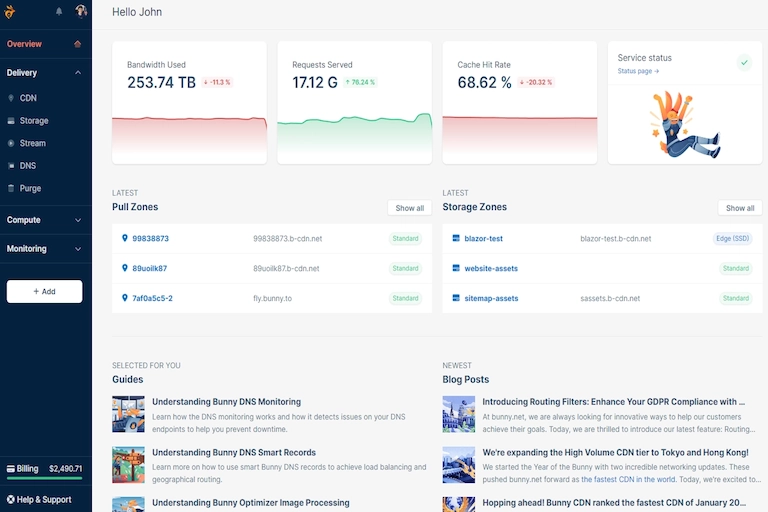
Bunny Storage rethinks file distribution by integrating object storage directly into its global edge network, Bunny CDN. Rather than treating storage and delivery as separate, metered services, the architecture splits file distribution into two coordinated layers:
- Storage Zones (Origin Layer): The durable resting place for master files. Storage zones act as a private file system accessible via SFTP, REST API, or S3-compatible endpoints.
- Pull Zones (Edge Delivery Layer): The global proxy and caching layer. When a user requests a file, the closest edge Point of Presence (POP) fetches it from the Storage Zone once, caches it locally, and serves subsequent requests directly from edge NVMe drives.
Geo-Replication Options
Storage Zones can be configured to balance operational cost against availability and write speed:
- Single-Region Storage: Stores master files in a single data center (such as Falkenstein, New York, or Singapore). This provides the lowest storage rate and works best when files are heavily cached by the edge CDN.
- Multi-Region Replication: Automatically replicates writes across Europe, North America, and Asia. This provides high redundancy and speeds up origin pulls when cache misses occur far from the primary data center.
Managing global distribution requires no manual DNS balancing. Bunny’s SmartConnect routing automatically detects request origins and pulls content from the nearest healthy storage node, providing instant failover if a primary facility experiences disruption.
Pricing Breakdown: AWS S3 and Cloudflare R2
Consider a practical scenario: an independent software company hosting 10 TB of disk images and serving 50 TB of download traffic per month across North America and Europe.
- AWS S3 Standard + CloudFront: $230.00 storage ($0.023/GB) + $4,250.00 egress ($0.085/GB average) = ~$4,480.00 / month
- Cloudflare R2: $150.00 storage + $0.00 egress = ~$150.00 / month
- Bunny Storage + Standard CDN: $100.00 storage ($0.01/GB) + $250.00 to $500.00 egress = ~$350.00–$600.00 / month
- Bunny Storage + Volume CDN: $100.00 storage ($0.01/GB) + $250.00 egress ($0.005/GB flat) = ~$350.00 / month
While Cloudflare R2 offers zero-egress pricing, performance on raw multi-gigabyte sequential streams can vary, and high Class A/B request volumes introduce secondary charges. Bunny provides high-throughput edge nodes specifically optimized for heavy media and large file distribution.
Crucially, there is zero internal egress penalty between Bunny Storage and Bunny CDN. Origin pulls incur no hidden mid-tier transfer fees, avoiding the unpredictable per-request billing (PUT/GET/LIST operations) common to enterprise cloud platforms.
Setting Up Bunny Storage Zone and Pull Zone
1. Create the Storage Zone
- Log in to the Bunny dashboard and select Storage from the navigation menu.
- Click Add Storage Zone.
- Enter a clear name (for example, app-binaries-storage).
- Select your primary storage tier location based on where uploads originate.
- Enable optional replication zones (such as US West or Asia) for multi-region disaster recovery.
2. Link a Pull Zone for Edge Delivery
- Navigate to Pull Zones and click Add Pull Zone.
- Enter a zone name to generate a default hostname (such as app-binaries.b-cdn.net).
- Under Origin Type, select Bunny Storage Zone and pick the storage zone created in Step 1.
- Choose a delivery network: Standard Network (for global low latency across 115+ edge locations) or Volume Network (for massive file downloads at an ultra-low flat per-gigabyte rate).
- Add a custom CNAME (such as downloads.yourcompany.com) and toggle Enable SSL for a free Let’s Encrypt certificate.
3. Optimize Edge Cache Rules for Large Files
Large static assets require different caching configurations than web pages or small UI images. Open your Pull Zone settings and adjust the following:
- Cache Expiration Time: Set to Override Origin and select a long duration (1 Month or 1 Year) for immutable assets.
- Browser Cache Expiration: Match this setting to your release schedule.
- Optimize for Large Files: Confirm Byte-Range Requests and Query String Sorting are enabled. Byte-range support lets download managers and video players request partial content (HTTP 206), enabling pause-and-resume functionality.
Uploading Terabytes of Data
Uploading deep directory trees or thousands of media files through a web browser is unreliable. Bunny exposes direct protocol interfaces for robust ingestion:
- SFTP / FTP: Fast file transfers using desktop tools like Cyberduck or FileZilla.
- S3-Compatible API: Reuses existing AWS CLI scripts, SDKs, or backup software by redirecting the endpoint to Bunny’s S3 proxy.
- HTTP REST API: Integrates directly with automated CI/CD pipelines and custom build systems.
Using Rclone for Resilient Batch Uploads
Rclone handles network retries, parallel transfers, and checksum verification natively. Here is a configuration snippet for connecting to Bunny Storage over SFTP:
[bunny-storage]
type = sftp
host = storage.bunnycdn.com
user = your-storage-zone-name
pass = encrypted-storage-password
port = 22
To sync a local directory containing 500 GB of video assets using parallel transfers, run:
rclone sync /path/to/local/media bunny-storage:app-binaries-storage/media –transfers=8 –checkers=16 –progress
Handling Multi-Gigabyte Objects
When uploading individual files over 5 GB, single-stream transfers remain vulnerable to connection resets. Use chunked parallel uploads or multipart API endpoints. Segmenting large files allows transfer tools to retry failed chunks without restarting the entire upload.
Securing Content and Protecting Your Bandwidth
Exposing massive files on an unprotected endpoint risks bandwidth theft from hotlinking sites.
1. Token Authentication and Signed URLs
Bunny supports token-based authentication via signed URLs. When enabled, your backend generates a cryptographically signed HMAC token containing an expiration timestamp and the user’s IP address. Unsigned requests or expired links return an HTTP 403 Forbidden status at the edge.
2. Geo-Blocking and Referrer Whitelisting
Access policies can be enforced directly in the Pull Zone control panel:
- Blocked Countries: Restrict distribution outside target markets or licensing regions.
- Allowed Referrers: Ensure download requests originate only from your domains (such as https://yourcompany.com).
- Block Root Path Access: Prevent web crawlers from indexing and listing file directory structures.
3. Instant Global Cache Management
When releasing software patches or replacing media files while keeping existing filenames, you do not need to wait for cache expiration. Bunny’s REST API and dashboard provide an Instant Global Purge mechanism that invalidates cached objects across every edge node within seconds.